
Running a national claims operation since 2003. Now it can be yours.
Referral in, report back, invoice out, payment matched.
TrueClaims has run a national workers' comp IME operation every day since 2003.
One system. One case. Nothing retyped.
"Every feature in TrueClaims exists because someone who works claims asked for it."
TrueClaims has run the daily operations of a national U.S. claims-services company since 2003: intake, scheduling, correspondence, billing, collections. We built it with the coordinators, schedulers and billers who use it every day. Now we're opening it up to more companies like theirs.
The newest module is a built-in sales CRM — leads, follow-ups, pipeline — built the same way everything else was: with the people who use it.
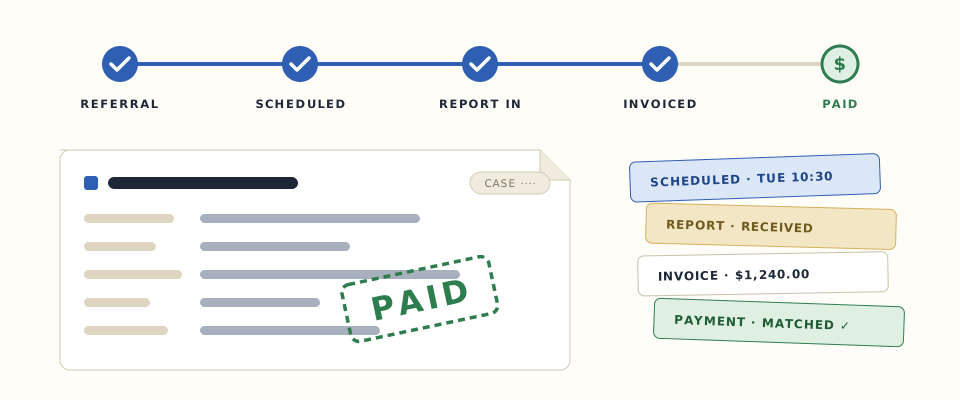
Follow one case, start to finish.
The same case, moving the way it moves every day. Watch the audit log fill in — every step leaves a line.
The referral arrives with its records already attached.
The adjuster submits it through the portal: details, case type, records, all in one screen. It lands in your intake queue as a case, not an email someone has to retype.
Staff accept it. Claimant matched, files attached.
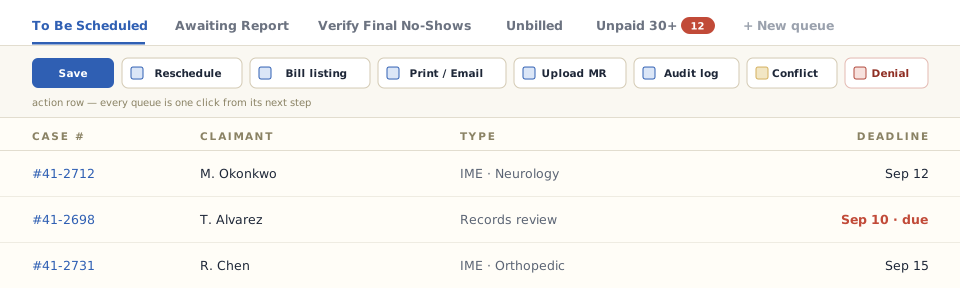
A short wizard: match or create the claimant, commit the files, done. The referral is now a numbered case with deadlines the system tracks for you — IME, re-exam, record review, peer review, radiology review, bill review or FCE.
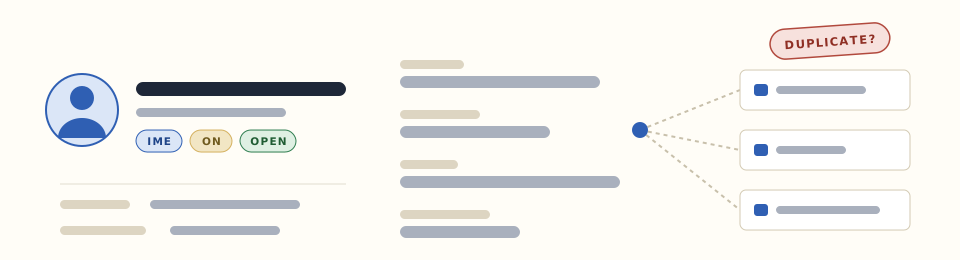
Licenses, board certifications, state authorization numbers, document renewals — tracked per provider, per jurisdiction. You only book providers licensed where the claim lives.
A re-exam or records review stays connected to its original case. On the record, not in someone's memory.
Report a conflict right from the case and it lands in a dedicated monitoring queue — handled before it becomes a problem in litigation.
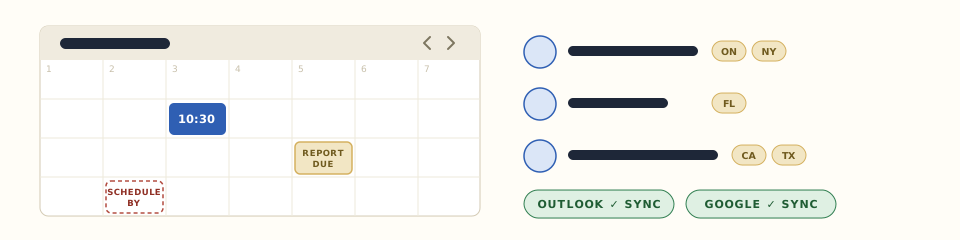
The scheduling wizard books provider, location, date and time.
Interpreter, transportation, rush handling, telephonic details: all fields on the case, filled in while you book. Provider licensing is tracked per jurisdiction, so you only book providers licensed where the claim lives. Reschedules keep their history, so you always know what moved and why.
Reminders go out. Outcomes come back onto the case.
Appointment lists go out to your reminder-call vendor and the results come straight back onto the case: confirmed, no answer, refused. A failed reach creates its own follow-up task. Letters print in batches, barcoded and tracked to delivery.
Appointment lists go to your call vendor; confirmed, no answer, refused come back as notes on the case. A failed reach creates its own follow-up task.
Report in, appointment moved, case cancelled: the right people get emailed the moment it happens, adjusters included.
Report-due, cancel-by and schedule-by windows sit on every case, and the queues surface whatever's about to slip.
Attended or not — the system knows what happens next.
This one showed up. When a claimant doesn't, no-shows get their own workflow: verification, affidavits, fees, and a queue to work them down. No chasing from memory.
The provider uploads the report through their own portal.
No hunting through email attachments. Ever. The report lands on the case, the adjuster gets notified the moment it's in, and the upload is logged like everything else here.
Every action on the case, who did it and when, sits behind the Audit Log button on every screen. Same trail that's filling in beside this page.
Letters go out barcoded and land in a full mail log, tracked to delivery. When someone claims they were never notified, you have the receipt.
Language, transport and telephonic exams are fields on the case, coordinated while you book — so the claimant actually gets there, and can actually communicate.
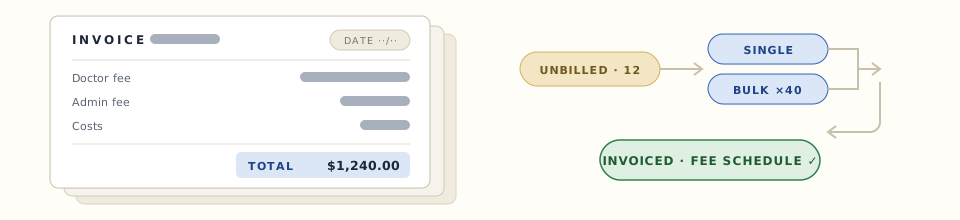
One click generates the invoice. Bulk works too.
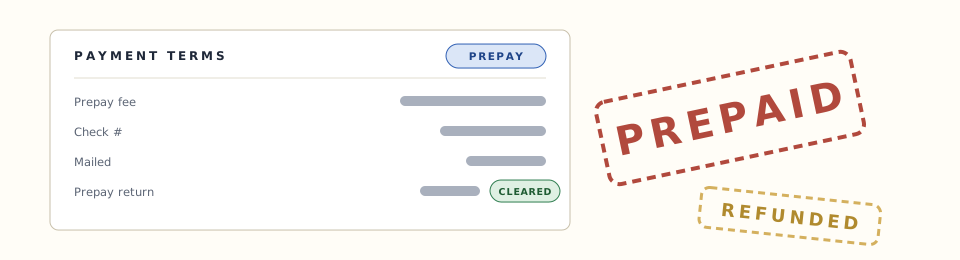
Fees come from the schedule you set per provider, location and case type, with prepays, no-show fees and extras included. The PDF goes out. Unbilled work sits in its own queue so nothing slips.
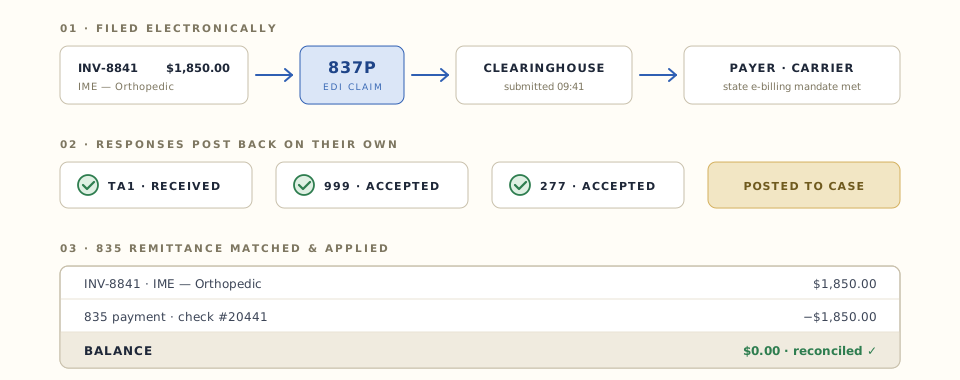
The claim files itself — electronically, through a clearinghouse.
Acknowledgments and responses come back and post to the case on their own — so you know a claim was accepted without calling anyone. As states keep adding e-billing mandates, you're already covered: this has been filing WC claims for years.
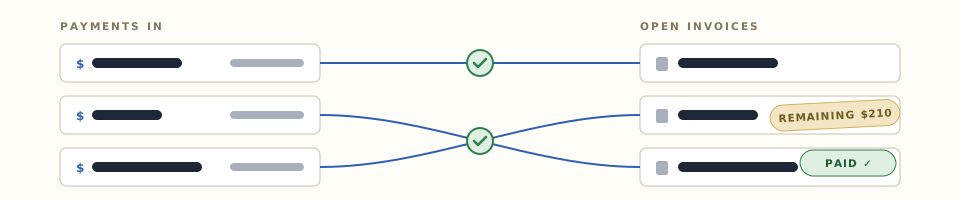
The 835 comes back and the payment applies itself.
Remittances match to invoices on their own. Split checks, partial payments and unpaid queues are all handled, and the numbers sync into Business Central so finance never types anything twice.
Adjuster and provider portals, included.
Most operations this size run the edges of their process over phone and email. TrueClaims gives each side its own portal — and for the adjusters and TPAs who send you work, that portal is a reason to pick you.
Their favorite IME vendor.
Adjusters submit referrals with records attached, follow case status live, and get reports and invoices the moment they land — no calls, no chasing. Being the easy vendor to work with is how you stay the one they call.
Today's work, one screen.
Today's appointments, open cases, an awaiting-report queue, document upload, their patient list. Reports come in through the portal and land on the right case.
The operations side.
Intake, scheduling, correspondence, billing and collections each get their own queue, so people open the system and see their work — not everyone else's.
Every shop works differently. TrueClaims bends to your process — and what it can't bend, we build.
Every grid takes advanced filters, your own column presets and saved views — filter by jurisdiction, case type, adjuster, anything on the case. Any view becomes a named entry point for a role or a person, so people land on their work instead of hunting for it. And when you need something configuration can't reach — a workflow built to your process, an integration to a system we don't carry yet — we build it for you. We're the developers, not resellers.
TrueClaims bills, collects and reconciles.
The exam is the middle of your business. The money is the end of it — and it's handled in the same system, on the same case.
WC e-billing, built in
Workers' comp claims file through a clearinghouse and responses post back on their own — state e-billing mandates handled. (837P, for the EDI folks.)
Payments that apply themselves
Remittances (835s) match and apply on their own. Split checks, partials and remaining balances tracked.
Fee schedules & prepays
Flat, per-unit or percentage — per provider, location and case type, with no-show and re-exam fees. Whatever your contracts look like, the schedule holds them.
Bill review workflow
Batch bill upload, encrypted transfer to your review vendor, automated returns, EOR inbox and adjuster delivery.
Accounting sync
Invoices and payments flow straight into your finance system, so nobody re-keys anything. Business Central runs in production today; we build the integration for whatever you run.
No integration? No problem.
Billing and payment Excels import straight in — for systems we don't connect to yet, or for migrating your history when you move to TrueClaims.
Claims experience first. AI second.
Three focused tools aimed at problems claims teams deal with every day. They work around the system you already run, and we're picking a handful of founding partners to build them with.
Find the money hiding in claims.
Reads historical or active claims for subrogation and recovery opportunities, names the parties who may be responsible, and shows the evidence behind every flag.
Ask a claim anything.
"Why is this claim still open?" Plain language in, a straight answer out — with the pages it came from, so you can check it yourself.
From accident to structured claim.
Phone, voice, web, email, forms, documents, photos — one front door. It pulls out the facts, spots what's missing, asks the follow-up questions and routes the case.
What we're building next.
Ask us for timelines.
Smart scheduling
Groups pending exams by jurisdiction, specialty and travel radius, then suggests providers already headed that way. The confirmation back-and-forth gets tracked, and denied dates are remembered.
Documents workspace
A faster way to read and organize case documents, plus a safe way to hand a file set to someone outside the system — an attorney, a carrier — without email attachments.
Mobile companion app
Push notifications for cancellations and changes, with acknowledgment receipts so you know who saw what.
Letter template editor
Build and edit your own letters in the app — merge fields, your layout, no developer and no waiting on us.
Workflows you define
Build your own steps, triggers and hand-offs in the app — the parts of your process that today we'd write for you.
Custom forms you build
Add any field you need, anywhere you need it, and wire it into your own workflows — no ticket, no release.

You're talking to the team who built it. No pitch, just tell us where it hurts.
Bring your messiest scheduling week or your ugliest billing backlog. If TrueClaims can't handle it, we'll tell you. If it can, we'll show you on screen, not on a slide.
Book a demo